Are you looking for the best WooCommerce alternatives for your website? While WooCommerce is the most popular eCommerce plugin for WordPress, it may not be the perfect tool for everyone. Depending on your needs, there are better alternatives that gets the job done faster and easier. In this article, we will show you the best WooCommerce alternatives that you can use to sell online.
Why and Who Needs WooCommerce Alternatives
WooCommerce is the most popular eCommerce platform because it allows anyone to quickly launch an online store. Due to is ease of use, it is hugely popular and powers more than 30% of all online stores.
In our opinion, it is the overall best WordPress eCommerce plugin on the market.
However, there are some scenarios where WooCommerce may not be the right tool for the job. It may not have the specific features you need for your business, or it simply might be too complicated to use.
This is where WooCommerce alternatives come in. These eCommerce platforms offer better solutions for specific needs and would be more suitable for your business goals.
That being said, let’s take a look at the best WooCommerce alternatives and see when they are a better solution for your business.
1. MemberPress

MemberPress is the best WordPress membership plugin on the market. It allows you to sell paid memberships with multi-level subscriptions, drip-content support, and tons of awesome features. It comes with support for multiple payment gateways, easy pricing tables, and other tools to help you sell and grow your membership community.
When MemberPress is a better solution than WooCommerce?
If you want to create a membership site that offers access to premium content with subscriptions, then MemberPress is made specifically for that. It offers a better experience for you as well as your users.
You can try and do the same thing with WooCommerce, but it would soon become overly complicated. You will have to use several add-ons to get the same functionality that you get built-in with MemberPress.
More importantly MemberPress works well with WooCommerce, and you can combine both of them together to sell both subscription-based products and physical goods on the same website.
Cons compared to WooCommerce
MemberPress does not have any of the traditional shopping cart features. If you want to sell physical products, then you will need to use it alongside WooCommerce.
For more details, see our article on how to build a WordPress membership website.
2. Easy Digital Downloads
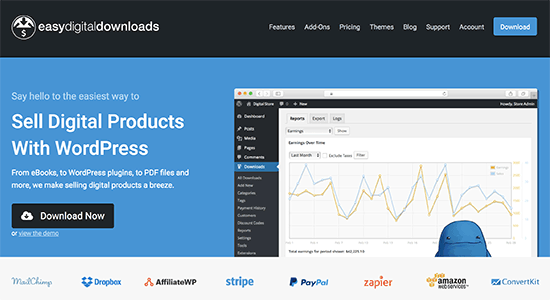
Easy Digital Downloads is a WordPress eCommerce plugin made specifically for selling virtual goods. This includes software, music, ebooks, movies, etc. You can manage software licenses, accept payments, install add-ons to further extend the platform, and more.
When Easy Digital Downloads is better choice than WooCommerce
If you only want to sell digital downloads, then Easy Digital Downloads can be a better replacement for WooCommerce. It simplifies the process, allows you to manage licenses, accept payments, manage users, and manage file downloads.
You can sell digital downloads with WooCommerce as well. However, it includes tons of features for physical goods which clutters the interface. You’ll also need to use several add-ons to manage licenses, file permissions, and other virtual product features.
Cons compared to WooCommerce
Just like you can sell digital goods with WooCommerce, you can also sell physical goods with Easy Digital Downloads by using add-ons. However, if you plan on selling both digital and physical goods, then WooCommerce would be a much better solution to manage your file downloads.
3. Shopify

Unlike other WooCommerce alternatives on this list, Shopify is a fully hosted eCommerce platform that does not require using WordPress. This means you don’t have to manage any software, install updates, or manage backups. It allows anyone to easily start an online store and start selling without any technical skills.
When Shopify is a better solution than WooCommerce
Normally, you need to manage your shopping cart software like WooCommerce. You will need a WooCommerce hosting account, install software, manage updates, backups, and so on.
Shopify takes care of all that and offers you a fully hosted platform. You can use their drag and drop tools to build your online store within minutes. If you are looking for a completely hands-off platform, then Shopify offers you a better solution.
Cons compared to WooCommerce
Shopify is a hosted platform, which means you get less control over your website compared to a hosted WooCommerce store. It also charges you transaction fees which means your costs will increase as you start selling more.
For a side-by-side comparison, see our article on Shopify vs WooCommerce with pros and cons of both platforms.
4. WPForms
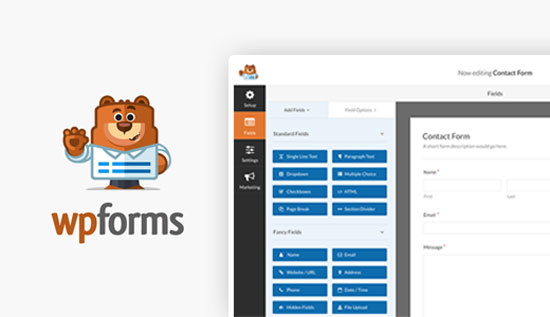
WPForms is the best WordPress form builder plugin in the market. Although it’s not a full-featured eCommerce plugin, it comes with payment integrations for both Stripe and PayPal, so you can easily create online payment forms in WordPress.
When WPForms is a better solution than WooCommerce?
If you’re just looking to create a simple order form to accept credit card payments on your website, then WPForms is by far the simplest option in the list.
You can use it for one-time or recurring services like consulting, lawn mowing, etc.
Cons compared to WooCommerce
It’s not an apples to apples comparison. WPForms is not an eCommerce plugin. You can’t use it to handle advanced things like taxes, shipping, etc.
It’s a simple payments solution for those who want to sell online without setting up a full-featured online store.
WooCommerce on the other hand is a powerful, full-featured eCommerce plugin.
We hope this article helped you learn about the best WooCommerce alternatives and when they can be a better solution. You may also want to see our list of proven and easy to start online business ideas that actually make money.
If you liked this article, then please subscribe to our YouTube Channel for WordPress video tutorials. You can also find us on Twitter and Facebook.
The post 4 Best WooCommerce Alternatives – Better Solution for Specific Needs appeared first on WPBeginner.
from: WPBeginner
via Editorial Staff
Source: 4 Best WooCommerce Alternatives – Better Solution for Specific Needs Via Business Advice.
Comments
Post a Comment