Do you want to add Halloween effects to your WordPress site? Holidays are the perfect time to boost sales, increase conversions, and build brand recognition. Halloween is a particularly fun holiday bringing you more opportunities to grow your business. In this article, we will show some neat ways to bring Halloween effects to your WordPress site (no coding skills required).
1. Boost Conversions with Halloween Themed Campaigns
OptinMonster is the world’s leading conversion optimization software. It helps you convert website visitors into paying customers or email subscribers.
They have a pre-made spooky Halloween themed template called Spooktacular. This template can be used as a popup, slide-in campaign, inline box, or a floating bar on top.
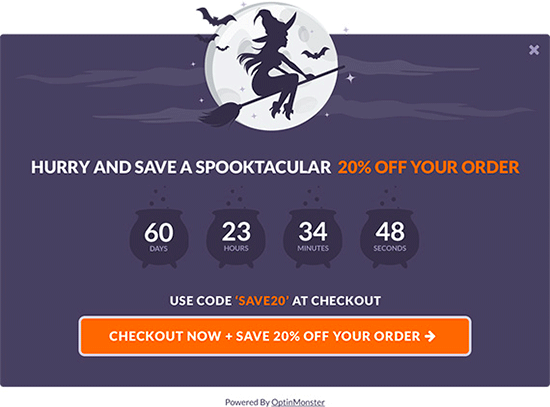
You can add a countdown timer, connect it to your email marketing service, and customize it to your own liking using OptinMonster’s drag and drop builder.
Apart from that, you can use it to offer holiday discounts, create Yes / No campaigns, and trigger it on any page of your website.
2. Add a Free Halloween Countdown
Another way to build excitement for an upcoming holiday is by adding a simple countdown timer.
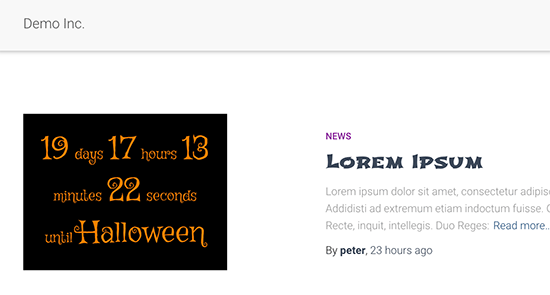
If you would like to add a free countdown timer, then you can install and activate the Halloween Countdown plugin. For more details, see our step by step guide on how to install a WordPress plugin.
It works out of the box, and there are no settings for you to configure. Simply add the shortcode [hcount] to any WordPress post, page, or custom HTML widget, and it will start showing the countdown timer.
3. Halloween Themed Fonts
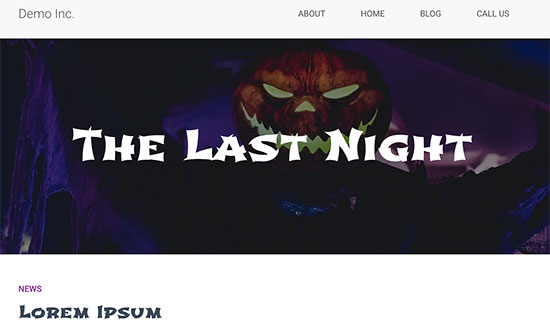
Another way to add Halloween effects to your WordPress site is by using spooky typography during the holiday season. Google Fonts has some really cool fonts under ‘Display’ and ‘Handwriting’ categories that you can use.
We experimented with Shojumaru, Bungee Inline, and Ranchers. They looked great for headings, but we do not recommend using them for paragraph text as this would make the smaller text a bit difficult to read.
For detailed instructions, see our article on how to add custom fonts in WordPress.
4. Create Halloween Themed Graphics with Canva
Images are a perfect way to stimulate imagination and creativity. Halloween is a very visual holiday, so you’ll need graphics to accompany your holiday-themed campaigns. Now, you might be thinking what if not a graphic designer? how do I get professional-looking Halloween themed graphics?
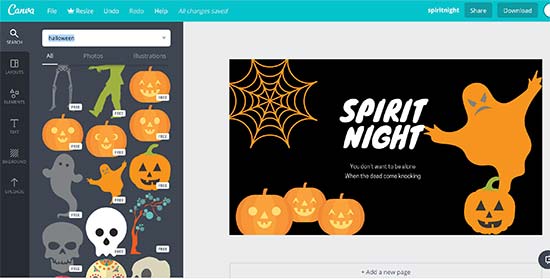
This is where Canva comes in. It is an easy to use tool that allows you to create graphics and images for your website without any design skills.
You can simply use ready-made illustrations, backgrounds, icons, and fonts with an easy drag and drop tool.
Need more free images to use for your website? Check out our expert pick of the best resources for free public domain and CC0-Licensed images.
5. Add Halloween Decorations to Your WordPress Theme
If you don’t want to modify your existing design but still want Halloween effects, then this method is for you.
First, you need to install and activate the Halloween Panda plugin.
Upon activation, the plugin will add a new menu item labeled ‘Halloween Panda’ to your WordPress admin sidebar. Clicking on it will take you to plugin’s settings page.
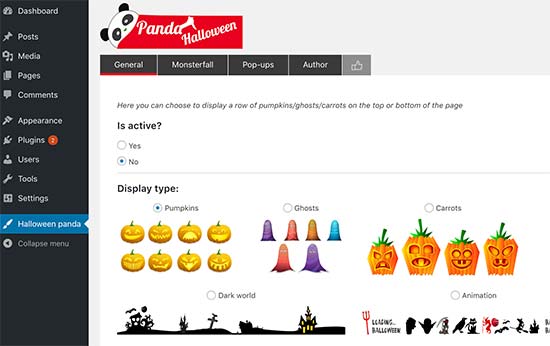
It comes with different decorations like a floating bar, monster fall (like snowfall but with pumpkins and bats), and scary popups.
6. Try a Spooky WordPress Theme
This one is a bit drastic, and we don’t recommend doing it on an established website because it will completely change the appearance of your website. You can create the similar effect using your existing theme by adding a background image or changing its colors.
Basically, you can pick a dark WordPress theme to create a horror movie atmosphere on your website. You can revert back to your original theme after the Halloween.
Here are a few free themes that we found interesting.
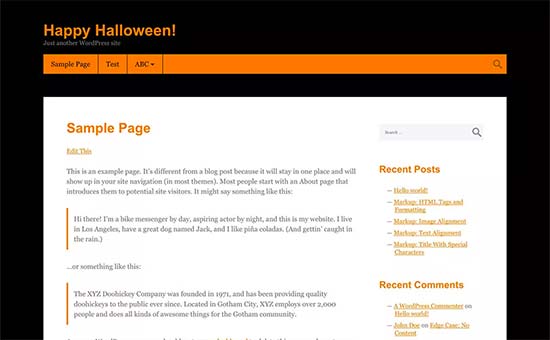
A very simple and basic blog theme using Orange as the accent color, dark background, and white reading area.
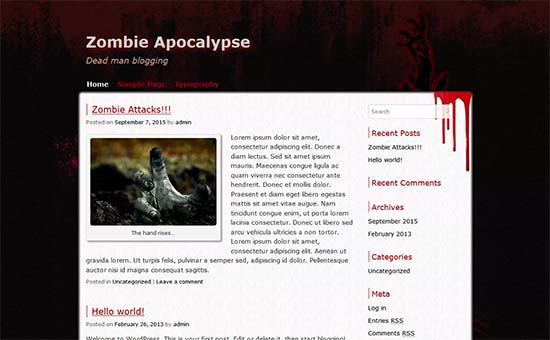
It is also a basic blog theme with dark horror-themed background and colors.
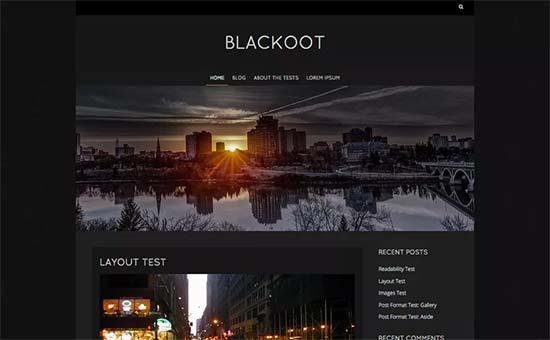
A dark WordPress theme with a haunted feel to it. It is suitable for simple blogs, photography websites, or small business websites.
7. Holiday Themed Surveys & Polls
Now that you have your audience captivated with Halloween effects on your website, you may want to engage them, so they spend more time on your website.
Quick polls and surveys can help you do that. For example, you can run a poll asking users about their favorite Halloween candy. When users interact with your website, they are more likely to view more pages.
The easiest way to add polls and surveys in WordPress is by using the WPForms plugin. It is the best WordPress contact form plugin in the market and allows you to create beautiful forms using a drag and drop builder.
You’ll need the PRO plan to access their surveys and polls extension. Once you have installed it, go ahead to WPForms » Add New page and select from Survey or Poll form templates.
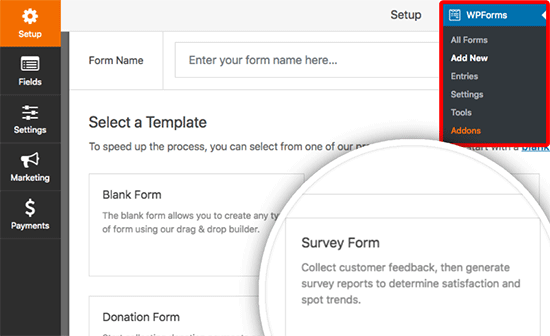
Once you select a template, WPForms will load it in the drag and drop form builder. After that, you can add, remove, rename, or rearrange fields with simple point and click.
For details see our guides on how to create a survey form in WordPress and how to create an online poll in WordPress.
We hope this article helped you find new ways to bring Halloween effects to your WordPress site. You may also want to see our list of the most useful tools to manage and grow your WordPress site.
If you liked this article, then please subscribe to our YouTube Channel for WordPress video tutorials. You can also find us on Twitter and Facebook.
The post 7 Ways to Bring Halloween Effects to Your WordPress Site appeared first on WPBeginner.
from: WPBeginner
via Editorial Staff
Source: 7 Ways to Bring Halloween Effects to Your WordPress Site Via Business Advice.
Comments
Post a Comment