Are you looking for a solution to convert your WordPress site into a mobile app? More and more people prefer to browse the internet and shop online using their mobile devices. Apps are a convenient way to deliver your content and offer better mobile experience. In this article, we will show you the best plugins to convert WordPress into mobile app.
Why Create a Mobile App for Your WordPress Site?
If you check your website traffic in Google Analytics, then you will see that a large number of users are accessing your website from their mobile phones. The easiest way to make sure that mobile users have a nice experience on your website is by making it mobile responsive.
A mobile responsive WordPress website uses a design that automatically adjusts itself to match user’s screen size. Almost all good WordPress themes are mobile responsive out of the box. You can even find great looking mobile responsive themes for WooCommerce.
However, some businesses may want to offer an even nicer user experience by creating their own mobile apps. Instead of visiting your website in a browser, users will be able to launch an app from their home screen to access their favorite blog, online store, membership website, or online community.
Building a mobile app typically requires programming skill, and there are plenty of development agencies that will build a mobile app for your website. However, it would cost you a lot of money ($15,000 and upwards).
If you want to build a mobile app on a budget, then there are few WordPress plugins that can help you convert your WordPress site into a mobile app. All of them are paid solutions, but they cost way less than hiring someone to build a new app for you.
Keep in mind that using these plugins still require intermediate to advanced WordPress skills. If you are an absolute beginner, then we will recommend using a mobile responsive theme and improving your WordPress speed to gain more mobile users.
That being said, here are the best plugins to convert your WordPress site into a mobile app.
1. AppPresser

AppPresser is an easy to use platform that helps you convert any WordPress site into a mobile app. They have a dedicated WordPress mobile theme that can be used to create an app for your blog, WooCommerce store, or BuddyPress website.
It has a visual app customizer to easily change your app’s appearance just like you would do for a WordPress theme. You can customize colors, add custom pages, pull WordPress content, and more. AppPresser offers integrated push notifications which is fairly easy to set up and manage.
2. MobiLoud
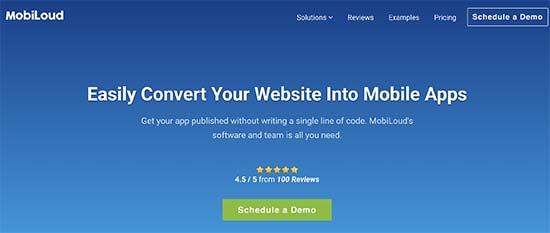
MobiLoud allows website owners convert their WordPress sites into mobile apps. They have two products: one for news or blog sites, and another one for websites using WooCommerce or other sophisticated plugins.
It comes with push notifications, mobile advertising support, analytics, and custom branding. The app is configured, prepared, and can also be submitted to app stores for you.
3. Androapp
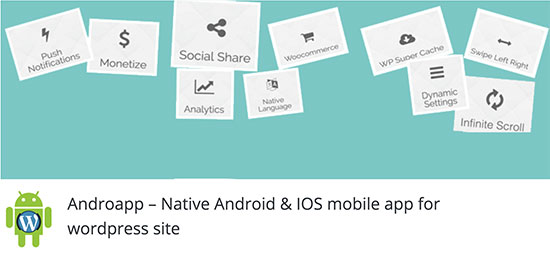
AndroApp is another useful plugin to convert your WordPress website into a mobile app. It comes with offline support, multiple themes, internationalization supports, unlimited push notifications, infinite scroll, and native social sharing. It does not support WooCommerce or BuddyPress.
The plugin developer will help you configure and download your app which you can then submit to the play store yourself, or hire plugin author to do it for you.
The big downside of this plugin is that the free version allows the developer to show their own ads.
4. WPApp.Ninja
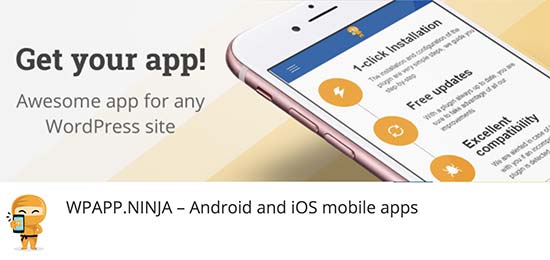
WPApp.Ninja allows you to create a mobile app or a progressive web for your WordPress website. You can purchase a single lifetime license to build your app. All app setup and configuration can be done inside your WordPress admin area.
It gives you easy tools to upload your app icons, buttons, colors, translations, and more. It supports Google Analytics, built-in caching, offline content, and compatibility with all popular WordPress plugins.
If you’re serious about converting your WordPress site into an app, then we recommend using AppPresser or Mobiloud.
We hope this article helped you find the best plugins to convert WordPress site into a mobile app. You may also want to see our guide on how to track user engagement in WordPress with Google Analytics.
If you liked this article, then please subscribe to our YouTube Channel for WordPress video tutorials. You can also find us on Twitter and Facebook.
The post 4 Best Plugins to Convert a WordPress Site into a Mobile App appeared first on WPBeginner.
from: WPBeginner
via Editorial Staff
Source: 4 Best Plugins to Convert a WordPress Site into a Mobile App Via Business Advice.
Comments
Post a Comment