Are you looking for the best WordPress poll plugins for your site? Online polls are highly engaging and can be used to boost user engagement on your website. In this article, we will compare the best WordPress poll plugins.
What to look for in a WordPress Poll Plugin?
Online polls offer a fun and easy way to keep your audience engaged. That’s why popular websites like BuzzFeed regularly use them to create viral content and increase the time users spend on their website.
There are many WordPress poll plugins that can help you add online polls to your website. Here are a few things we will be looking for in a WordPress poll plugin:
- It should be easy to use, so that you can quickly create polls
- Polls should look nice and can be easily added anywhere including posts, pages, or sidebar widgets
- Your poll plugin should be fast and shouldn’t affect website speed or user experience
- Should be able to display poll results with graphs and charts
That being said, let’s take a look at the best WordPress poll plugins and how they stack up against each other.
1. WPForms
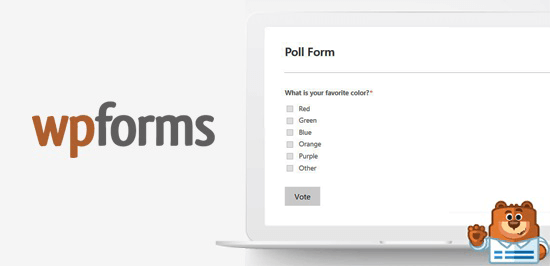
WPForms is the best WordPress contact form plugin, and their pro plan includes a powerful surveys and polls addon. It allows you to easily create online polls, embed them anywhere on your site, and display results with beautiful charts.
You can drag and drop multiple form fields allowing users to select multiple or single answers. WPForms allows you to use images as poll choice along with text.
Poll results can be displayed automatically on the same page after getting the vote from users. You can also show poll results anywhere on your site. WPForms offer you the ability to export poll results a later date to include in your powerpoint presentation or other offline modes.
For detailed instructions, see our article on how to create an interactive poll in WordPress.
2. YOP Poll

YOP poll is a WordPress plugin that allows you to add online polls and surveys to your website. It is free and easy to install in WordPress.
You can schedule polls, display poll on multiple pages, show poll results in numbers and percentages, reset poll anytime, and more. It helps in limiting the poll to guest / registered users and block users by cookie, IP or username.
YOP poll can display results in different styles. Their archive feature allows you to show previous poll results sorted by the start and end date of the poll.
3. WP-Polls
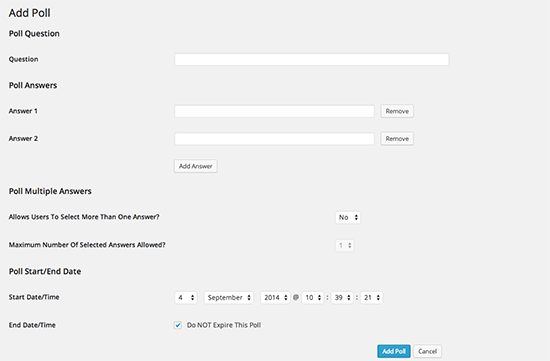
WP-Polls is a simple, easy, and free poll solution for your WordPress site. It allows you to add online polls in your WordPress pages, posts, and widget areas.
Users can select multiple options in the poll. WP-Polls automatically shows results after the users select their choices. If you want to customize the look of your poll and know a little coding, then you can change the theme and add custom CSS style to your poll.
4. Polldaddy Polls and Ratings

Polldaddy polls and ratings is another popular WordPress polls plugin. It allows you to create and manage polls from your WordPress dashboard.
You can create a multiple choice poll, set a close date for the poll, display / hide poll results on your site, customize your poll styling, and more. Polldaddy allows you to embed your polls on other WordPress sites.
It prevents multiple responses from same users with basic IP filtering. It is a free plugin. However, you’ll need a WordPress.com account to generate an API key.
5. Responsive Poll

Responsive poll is another WordPress poll plugin. It allows you to create simple polls on your site. You can add multiple polls on same page, create multiple choice polls, show poll results with animation effects, set the start and end date for the poll, and more.
Responsive poll allows you to add an image for each option in your poll. It also lets you clone the poll and create duplicate polls. The free version of the plugin is quite limited in terms of features.
We hope this article helped you find the best WordPress poll plugins to use on your website. You may also want to see our expert pick of the best WordPress survey plugins to create online surveys on your site.
If you liked this article, then please subscribe to our YouTube Channel for WordPress video tutorials. You can also find us on Twitter and Facebook.
The post 5 Best WordPress Poll Plugins Compared (2018) appeared first on WPBeginner.
from: WPBeginner
via Editorial Staff
Source: 5 Best WordPress Poll Plugins Compared (2018) Via Business Advice.
Comments
Post a Comment