Recently one of our readers asked if it’s possible to connect an Etsy store to WordPress. Having your Etsy shop integrated with your WordPress site can help you sell more products online. In this article, we will show you how to add your Etsy store in WordPress.
Why Add Your Etsy Store in WordPress?
Etsy shops are somewhat limited in features when compared to other popular eCommerce platforms like Shopify or WooCommerce. Mainly because Etsy is an online marketplace for creative goods, while WooCommerce and Shopify are complete eCommerce platforms.
Etsy shops have strict product guidelines with limited payment options, which may not be available in many countries. You also don’t have the ability to add advanced features to your Etsy Shop like you can do with a WooCommerce online store.
However, Etsy offers you more exposure to a niche clientele looking for handcrafted, artistic, and unique products. It is very easy to use, and you don’t have to spend much time on finding customers because they are already there.
If you want to expand your business, then you may want to use WordPress to create a website to better showcase your Etsy shop products.
That being said, let’s take a look at how to easily add your Etsy store in WordPress.
Adding Your Etsy Store in WordPress
First thing you need to do is install and activate the Etsy Shop plugin. For more details, see our guide on how to install a WordPress plugin.
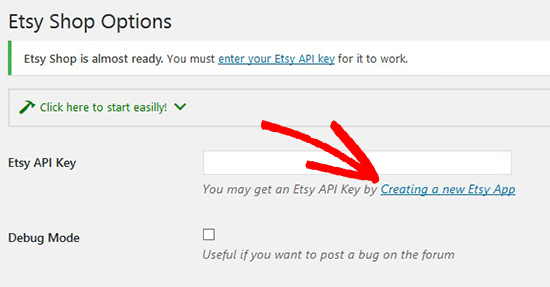
Upon activation, you need to go to Settings » Etsy Shop page and enter your Etsy API key to connect your shop with the plugin.
Note: If you don’t have an Etsy API key, then simply follow the link to get one from your Etsy store.
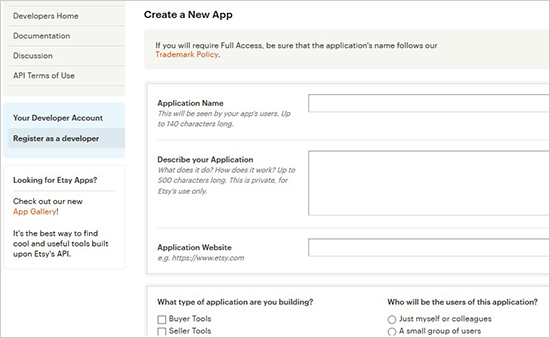
Once you click on the link, it will ask you to create a new app. You need to add the name for your app, describe your app, and add your WordPress site URL. After that, you need to select the best choices for your application and click on the Create App button below.
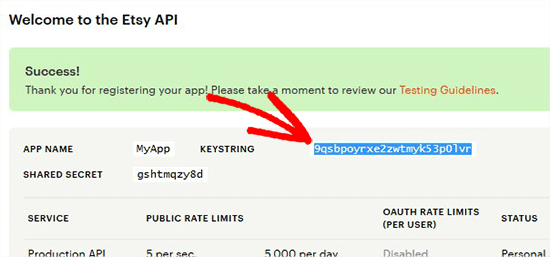
You will now see a success message with your Etsy API key. Go ahead and copy the key from here.
Next, you need to go back to your WordPress admin area and paste the Etsy API key. Once done, click on the Save Changes button, and the plugin will validate your API key and connect to your Etsy shop.
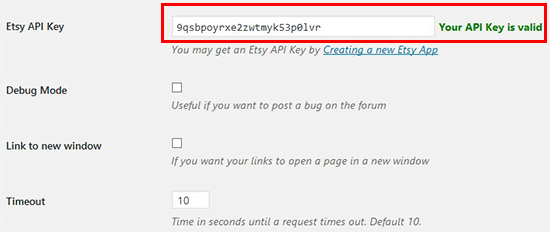
After connecting your Etsy store successfully, you can display and sell products from your Etsy shop right on your WordPress blog.
To add the Etsy store products in WordPress, you need to create a new page in WordPress or edit an existing page. On this page, you need to add the following shortcode to your page edit area.
[etsy-shop shop_name="MyShopUSDesign" section_id="55895579"]
Don’t forget to replace the shop name and section ID in this shortcode with your Etsy shop name and ID.
To get these two details, you need to go to your Etsy store and click on Shop Manager from top right corner of the screen.
Note: Make sure that you are already logged in to your Etsy account.
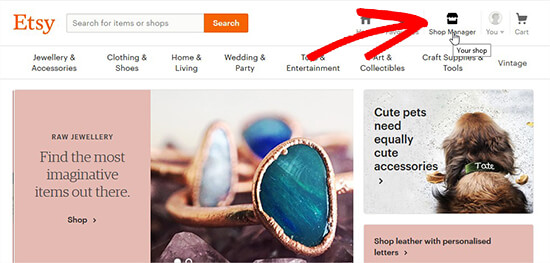
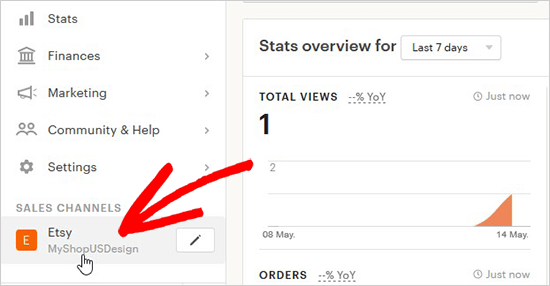
On this page, you need to click the link in the left menu to access your shop.
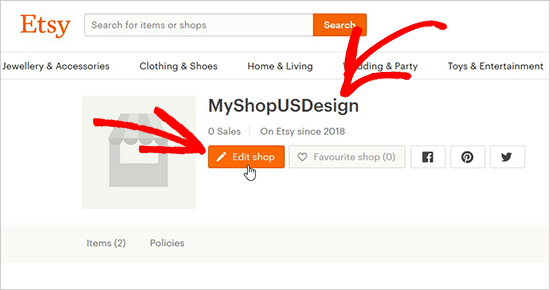
First, you need to copy the name of your shop and then click on the Edit Shop button to find the section ID.
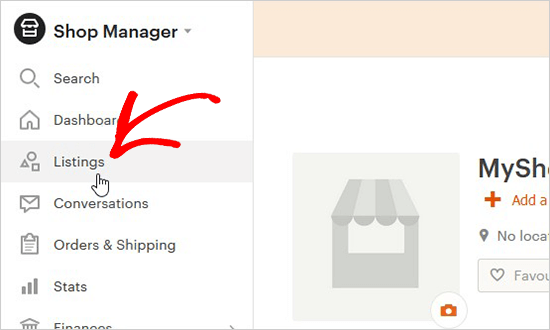
From here, you need to click on Listings tab located in the left menu.
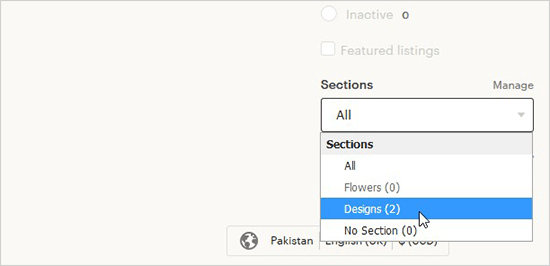
On this page, you will be asked to select the section in which you have added your products. You can select the Sections from the dropdown as displayed in the screenshot below.
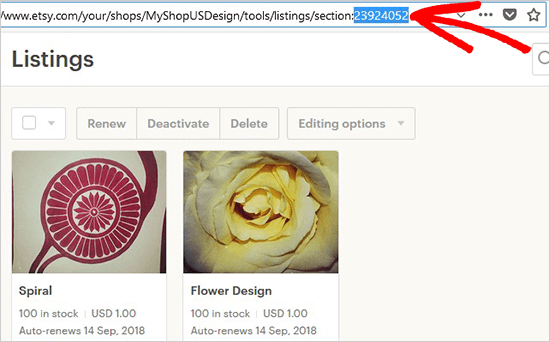
The section ID of your shop will be displayed in the page URL when your selected section is loaded. Go ahead and copy this section ID to replace in the shortcode.
After adding the shortcode with your shop name and section ID, you can visit the post/page to see your Etsy store in WordPress.
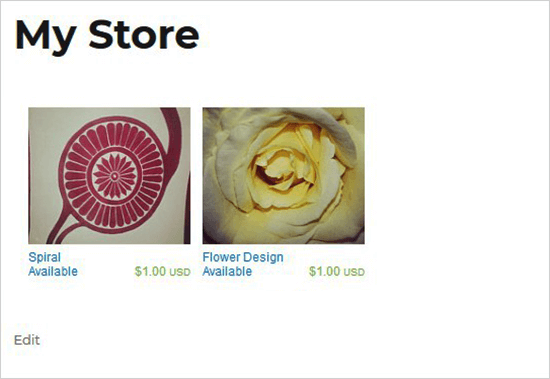
You can add the same shortcode to multiple posts or pages in WordPress to display your Etsy shop. To show different listings, you need to change the section ID in the shortcode. However, the shop name can remain same.
We hope this article helped you learn how to add your Etsy store in WordPress. You may also want to see our guide on how to create an online marketplace using WordPress, so you can create your own Etsy like eCommerce marketplace.
If you liked this article, then please subscribe to our YouTube Channel for WordPress video tutorials. You can also find us on Twitter and Facebook.
The post How to Add Your Etsy Store in WordPress appeared first on WPBeginner.
from: WPBeginner
via Editorial Staff
Source: How to Add Your Etsy Store in WordPress Via Business Advice.
Comments
Post a Comment