Do you want to use artificial intelligence and machine learning technologies on your WordPress site? There is a chance that you might already be using one. In this article, we will share some WordPress plugins that are using artificial intelligence and machine learning to offer smarter features for your website.
What is Artificial Intelligence and Machine Learning?
If you follow the news, then you must have heard the words artificial intelligence or machine learning being mentioned.
Artificial intelligence and machine learning are computer technologies that are used to offer smarter solutions in computer devices, apps, GPS devices, smart TVs, home assistance devices, and more.
Artificial intelligence gives computer programs ability to make choices without human intelligence.
Machine learning helps the software learn from experiences, data, and user activity to improve artificial intelligence and make better choices.
These technologies allow developers to automate tasks that would normally need human intelligence.
For example, voice recognition, search patterns, translations, image recognition, and more are currently being used by most modern mobile phones and smart devices.
What’s the difference between artificial intelligence and machine learning?
Artificial intelligence can make decisions based on programmed intelligence.
Machine learning further enhances artificial intelligence by self-learning through user activity and collecting information. This makes artificial intelligence smarter and allows it to make more accurate decisions.
What about machines taking over the world?
Many prominent scientists, engineers, and entrepreneurs have expressed their concern over the possible threat to human society from artificial intelligence and self learning machines.
However, it also has great potential to improve lives for billions of people. That’s why even the most prominent AI skeptics encourage its careful usage for the greater good.
What Artificial Intelligence Can do For WordPress Websites?
It can provide smarter and much better user experience to your users. For example, it can improve WordPress search, grammar and style checking, show related content, improve conversions, boost ecommerce sales, and more.
Your website becomes smarter, faster, and more personalized for your users. This saves you time which allows you to do other things to grow your business.
That being said, let’s take a look at the WordPress plugins that are using AI and machine learning.
1. Akismet

Akismet is one of the only two plugins that come pre-installed on every WordPress website. It uses artificial intelligence and machine learning to detect spam comments.
Used by millions of website, Akismet has improved over the years to detect almost all spam submitted by bots. It can also detect spam comments manually submitted by actual human users by learning from its mistakes and recognizing patterns across millions of websites.
For more details see our Akismet guide for beginners with instructions on how to set it up on your WordPress website.
2. WordLift
WordLift integrates their web based service to your WordPress website. It offers SEO tips to improve your content with the help of their knowledge graph.
It analyzes your content to offer facts, figures, and media to match and build contextual relationships among your articles which results in better content recommendations. It builds a knowledge graph for your own website which becomes smarter as you add more content to your website.
3. After The Deadline

After The Deadline was previously available as a standalone WordPress plugin, but it is now available as part of the JetPack plugin suite. It is an artificial intelligence powered grammar checking tool that analyzes the readability of your content to help you write better.
It supports American, British, and Canadian English with limited grammar support for French and German languages. It is also available as a Google Chrome addon as an alternative to the JetPack module.
4. Google Language Translator

If you want your users to easily translate your website content, without actually creating a multilingual WordPress site, then Google Language Translator is the easiest way to do this. It brings Google’s AI and machine learning translation engine to your WordPress website.
You can simply select languages you want to display on your website. After that, you can add the translator to your website using the sidebar widget or shortcode.
For detailed instructions, see our guide on how to add Google Translate in WordPress.
5. MyCurator Content Curation

MyCurator is a cloud based content curation service. It allows you to add artificial intelligence powered content aggregator, which shows content relevant to your selected topics and improves results by learning from what you add or vote on.
You can create a curated content section on your website by fetching the best bits of content relevant to your audience. You can add any article you like to your website with an excerpt and a link back to original source.
6. WatsonFinds

WatsonFinds uses IBM Watson’s cognitive artificial intelligence to analyze emotional impact of your content. This helps you learn how to improve user engagement by adjusting the emotional value of your content.
Upon activation, the plugin adds a WatsonFinds icon to your WordPress post editor. Clicking on it will bring up a popup with your content’s emotional score. Based on the words you choose and the overall context of the data, the plugin will show you insights into how your content may feel to your human readers.
7. Quttera Web Malware Scanner

Quttera Web Malware Scanner allows you to scan your WordPress site for malware and malicious code. This is particularly useful if you suspect that your WordPress site is hacked or blacklisted from search engines.
The plugin uses artificial intelligence to learn from false positives and improves scan results based on usage. While it is helpful in scanning an infected website, it doesn’t protect your website from getting affected.
For better security, see our ultimate WordPress security guide to protect your website against hacks, DDOS attacks, and malicious code.
8. Live Chat – 24/7
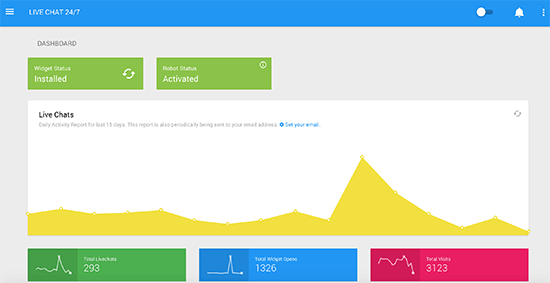
Live Chat 24-7 provides AI powered virtual chat agent for your website. If you cannot afford to add live chat support to your website, then this bot can perform basic tasks of pointing your users in the right direction.
You will need to sign up for a free account on plugin’s website. After that it will start learning as you use it. You can also train it what to say and how to response to user queries. This can be handy in keeping users engaged on your website and generate more leads.
9. Related Posts for WordPress by Bibblio
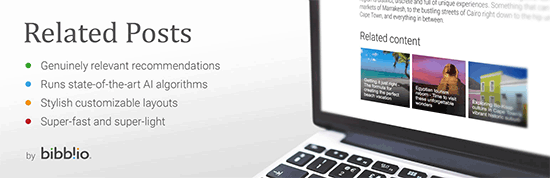
As the name suggests, Related Posts for WordPress by Bibblio is a WordPress related posts plugin powered by Artificial Intelligence. It learns from user activity on your website to improve related posts displayed across your website. You can display related posts below the content, in sidebar, or using the shortcode.
It is free to use for up to 500 pages. If you have more content, then you will need a monthly plan. You will also have to create a free account to use the plugin.
10. Recomendo

Recomendo is another artificial intelligence powered recommendation engine with machine-learning capabilities. It can display related content anywhere on your website. The recommendations get better based on how your users interact with them.
It is compatible with mulitlingual websites using WPML and online stores using WooCommerce which means it can show related products to users based on what they have already seen on your site.
We hope this article helped you learn about WordPress plugins using artificial intelligence and machine learning. You may also want to see our guide on how to improve your WordPress website speed and performance.
If you liked this article, then please subscribe to our YouTube Channel for WordPress video tutorials. You can also find us on Twitter and Facebook.
The post 10 WordPress Plugins Using Artificial Intelligence and Machine Learning appeared first on WPBeginner.
from: WPBeginner
via Editorial Staff
Source: 10 WordPress Plugins Using Artificial Intelligence and Machine Learning Via Business Advice.
Comments
Post a Comment