Despite WordPress being the most popular website builder in the world, there are a lot of misinformation about WordPress on the internet. Some of these common WordPress myths and misconceptions end up confusing users and leading them to choose the wrong platform. In this article, we will debunk the top WordPress myths with detailed explanations, so you can choose the best website platform for your needs (whether it’s WordPress or not).
Note: When we say WordPress, we are talking about self-hosted WordPress.org, not to be confused with WordPress.com. They are two different platforms, see our guide on the difference between WordPress.org vs WordPress.com.
1. WordPress is Just a Blogging Tool
One of the most persistent WordPress myths is mistaking WordPress as just a blogging software.
It is not.
WordPress is a powerful website builder that can be used to build almost any kind of website imaginable. It powers more than 31% of all websites on the internet, and a vast number of these websites are not just blogs.
WordPress is used for corporate sites, building an online store / eCommerce site, online magazines, and so much more. It is used by governments, universities, and many Fortune 500 companies.
The popular WordPress eCommerce plugin, WooCommerce, is actually the biggest eCommerce platform in the world (larger than Shopify, Magento, and others).
Want to start a non-blog website using WordPress? Here are some guides that you may find helpful.
- How to make a website
- how to make a small business website
- How to create a WordPress membership website
- How to start an online store
- How to create an online marketplace
If this is not enough, then here is a full list of different types of websites you can create with WordPress.
2. WordPress is Not Secure

Another common myth that we hear often is that WordPress is less secure than some other proprietary software.
WordPress is very secure, and this is one of the reasons for its popularity. WordPress is an open source software which means its source code is available online for anyone to study and find security loopholes.
WordPress is extremely flexible, and its security can be further strengthened by taking a few extra steps.
Malware and brute force attacks are common on the web and are not just limited to WordPress. This is why there are specialized security services like Sucuri which provide monitoring service and website firewall to protect against common web threats.
You can make your WordPress site even more secure by taking simple steps like using strong passwords and by following some security best practices.
We have prepared a step by step WordPress security guide that will help you secure your website like a pro.
3. WordPress Does not Support eCommerce

Another prevalent WordPress myth is that it does not support eCommerce. By default, WordPress does not come with a shopping cart feature.
However, there are plenty of WordPress plugins that add eCommerce functionality to WordPress. The most popular of them is WooCommerce, which powers more than 42% eCommerce websites in the world.
Whether you want to sell physical goods or digital downloads, you will be able to do that quite easily with one of the WordPress eCommerce plugins.
We have a step by step guide on how to start an online store with WordPress.
4. Future of WordPress is Uncertain

WordPress is a free and open source software. Many people who don’t know how open source software work, believe in the myth that the future of WordPress is not clear, and it could just suddenly disappear.
WordPress is not developed by a single person, but a community of passionate and professional developers. It is a protected trademark owned by a non-profit organization called WordPress Foundation, which protects the WordPress brand name and promotes the open source software.
There are thousands of small and large WordPress companies selling products and services based on WordPress. Many of these companies actively participate in the WordPress community.
The WordPress community is not just one company, person, or a small group that would just suddenly disappear. It consists of hundreds and thousands of people from all over the world. While WordPress itself is free, this eco-system alone powers millions of dollars in annual revenue for businesses involved.
In short, WordPress is not going anywhere and its future is bright.
5. There is Very Limited Support Available for WordPress

Another common concern expressed by some beginner level users is that since they are not paying anyone to use WordPress, there is no one to help them out when they need support.
There is a ton of free WordPress support available all over the internet. WordPress.org the official website has a very active support forum where you can ask your questions for free and get help from other WordPress users.
WPBeginner itself is a free online resource site with tons of WordPress tutorials and guides.
Here are some of the useful resources that you will find on WPBeginner (all of them are totally free).
- WPBeginner Blog – The central place for all our WordPress tutorials and guides.
- WPBeginner Dictionary – Our WordPress glossary is the best place to familiarize yourself with the WordPress lingo
- WPBeginner Videos – New WordPress users can start with these 23 videos to master WordPress.
- WPBeginner on YouTube – Need more video instructions? Subscribe to our YouTube channel with more than 110,000 subscribers and 10 Million+ views.
- WPBeginner Blueprint – Check out plugins, tools, and services we use on WPBeginner.
- WPBeginner Deals – Exclusive discounts on WordPress products and services for WPBeginner users.
However, if you would feel more comfortable by paying someone, then there are many WordPress developers, agencies, and businesses that would offer you paid support as well. See our article on the best places to hire WordPress developers.
6. WordPress is Free so It Must be Low Quality
Another common WordPress myth is that since WordPress is free, then it must be low quality. Beginners have asked us why would developers do their best work for a free software?
WordPress is not developed by just one person or a small team. It is developed by thousands of developers and is used by millions of websites. The code is open source for anyone to read, scrutinize, and examine for quality.
It follows and adheres to the very best programming practices. The code behind WordPress is rock solid, developer friendly, open, and free. It is also a state of art publishing system with a very easy to use interface. This is why WordPress is immensely popular and way ahead of any other CMS software in the world.
WordPress is used by some of the largest brands including but not limited to CNN, Microsoft, Adobe, The New York Times, and many more.
7. All WordPress Sites Look Similar
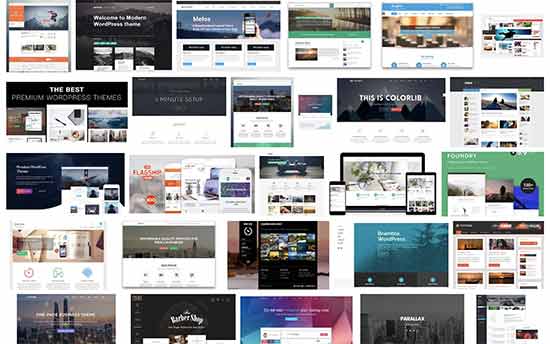
A common WordPress myth among beginners is that all WordPress sites look alike. WordPress uses themes which control the visual appearance of any WordPress powered website, and there are thousands of WordPress themes available. Many of them are free, but you also have large collection of premium WordPress themes as well.
There are premium WordPress theme shops like StudioPress, CSSIgniter, Themify, and many others who sell beautifully designed WordPress themes for all kind of websites. These themes come with customization options of their own, so you can change colors, layout, add your own logo and do anything you want with your theme.
Last but not least, there are powerful WordPress page builder plugins that allow you to use a simple drag and drop interface to create your own layouts without any programming skills.
To sum it all, your WordPress site will look exactly how you want it to look!
8. WordPress is for Beginners
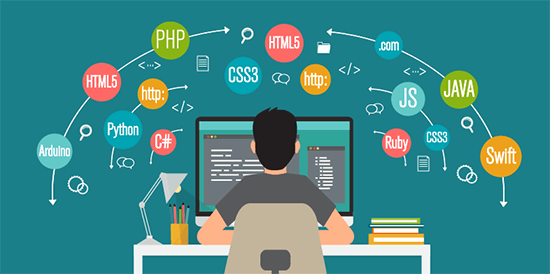
Another common myth that we often hear from users who don’t know much about WordPress is that it is more suitable for beginner level users who don’t know any CSS, HTML, or programming.
This is not entirely true. While WordPress is extremely easy to use for beginners, it is also used by corporations, businesses, and developers. WordPress is equally popular among beginners and advanced level users.
For beginners, the good part is that they can create their websites without learning any programming or web design skills. For developers, WordPress provides great flexibility to extend the software with custom code using plugins and themes.
9. WordPress is Not Well Suited For Large (High Traffic) Sites
This myth is promoted by developers of other platforms who fail to acknowledge that WordPress powers some of the most popular websites on the internet. This includes high traffic websites like Techcrunch, The New Yorker, Variety, and our own site WPBeginner.
Since WordPress is a self-hosted platform, you are responsible to manage its performance and scale your server resources as your website grows. We have a step by step WordPress performance guide that will help you learn how to take control of WordPress performance.
If you don’t want to deal with the technical side, then you can use a managed WordPress hosting provider like WP Engine that takes care of the technical side for you.
We hope that this article helped you debunk the common WordPress myths and better understand the true power of WordPress. You may also want to see our article on interesting facts about WordPress (infograph).
If you’re not convinced about WordPress, then we recommend taking a look at our list of popular WordPress alternatives to see if any of the other platforms better suit your needs.
If you liked this article, then please subscribe to our YouTube Channel for WordPress video tutorials. You can also find us on Twitter and Facebook.
The post 9 Common WordPress Myths Debunked (with Explanation) appeared first on WPBeginner.
from: WPBeginner
via Editorial Staff
Source: 9 Common WordPress Myths Debunked (with Explanation) Via Business Advice.
Comments
Post a Comment